Password Manager
Links
Built With
Description
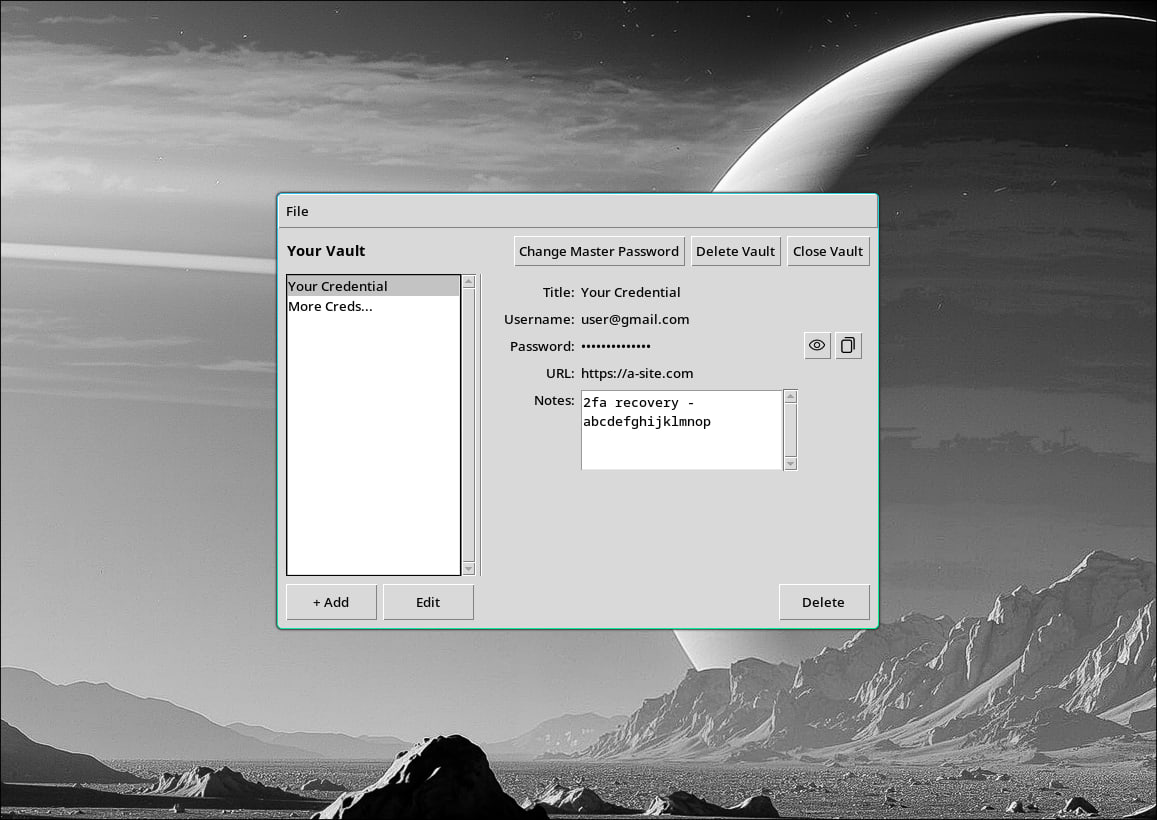
A local-first, cross-platform desktop password manager with no cloud dependency and no subscription fee. Credentials live in named vaults on disk, each encrypted with a master password using PBKDF2HMAC key derivation and Fernet authenticated encryption. The tkinter interface provides a clean credential browser with a list pane, detail panel, and inline add/edit dialogs, all without leaving the desktop.
Motivation
After several breaches of password management applications I've used in the past, I had to go oldschool to protect my credentials. For a time I was manually encrypting and maintaining my credentials from the CLI using OpenSSL. This was a solution I was happy with at first, and left me in position where I felt my sensitive data was secure and less likely to be exposed. After I time this became cumbersone, and managing passwords took more and more time. I've wanted to fiddle around with Python more, and took on this application as a good opportunity to learn more about the technology and building desktop graphical interfaces. My goal was to create a completely offline, portable, and secure password management application to give me more control and confidence over the security of my sensitive credentials.
Technical Challenge
The crypto stack is deliberately straightforward: PBKDF2HMAC-SHA256 at 600,000 iterations derives an encryption key from the master password and a random per-vault salt, then Fernet handles authenticated encryption of the credential payload. Fernet's authenticated ciphertext means a wrong password or a corrupted file raises a distinct error rather than silently decrypting garbage, which made building the error hierarchy clean. Vault writes are atomic: data goes to a `.tmp` file first, then `os.replace()` swaps it in, so a crash mid-write can never leave a vault in a partial state. The tkinter UI uses a frame-stack pattern where all three screens share the same grid cell and navigation works by calling `tkraise()`; frames expose a `load()` method that receives data on navigation, which keeps the credential browser decoupled from the login and vault-creation screens. Storage paths are platform-aware out of the box: `~/Library/Application Support` on macOS, `%APPDATA%` on Windows, and `$XDG_DATA_HOME` on Linux.